VoIP Push Notifications for iOS and Android Softphones
Receive incoming calls even when the softphone is closed. Push notifications wake the app the moment a call comes in, improving reliability and saving battery life on iOS and Android.
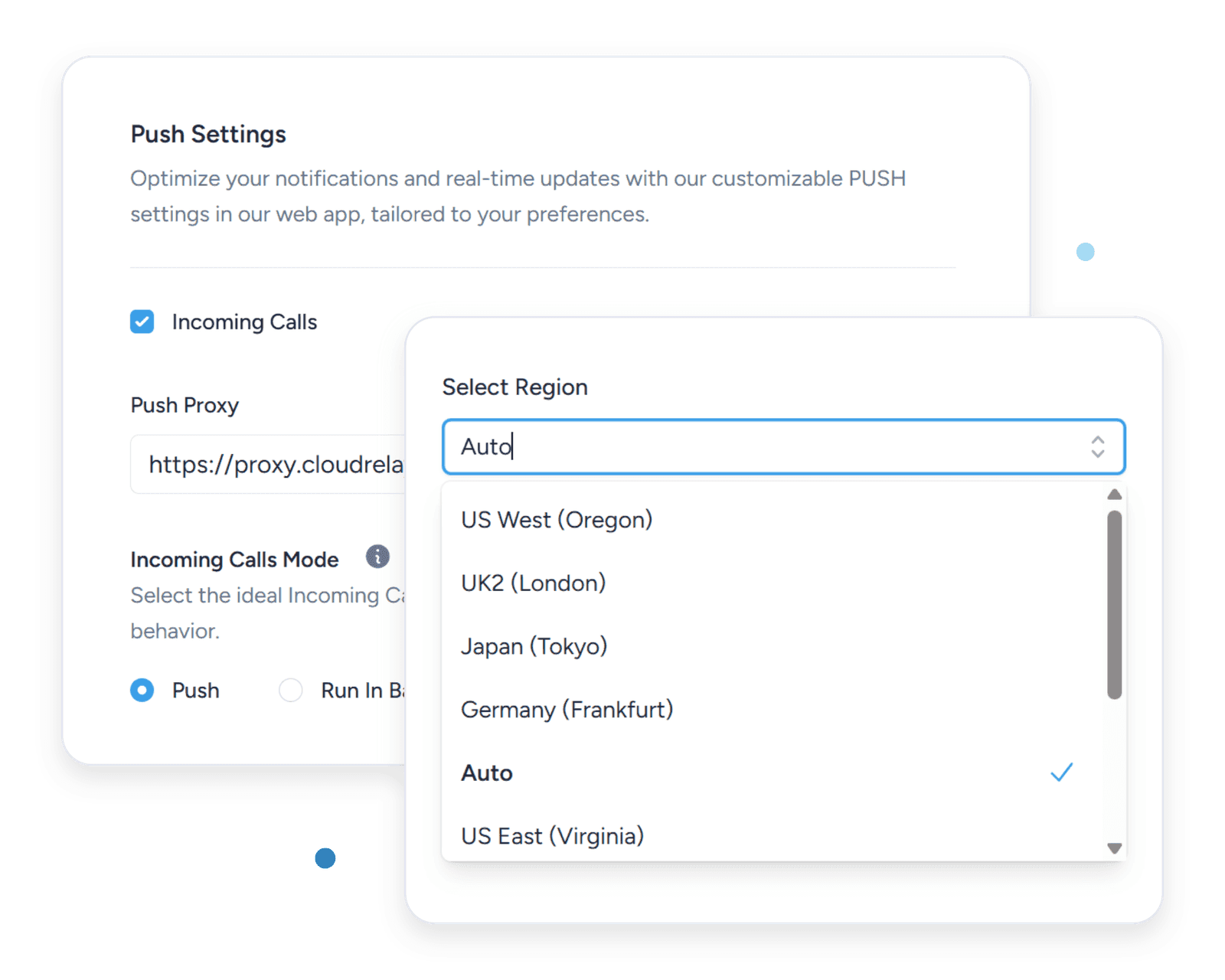
Regional Servers
We operate regional push servers for low-latency delivery. As some VoIP providers block SIP registrations from outside their region, our regional servers help you keep receiving calls where your provider expects the traffic.
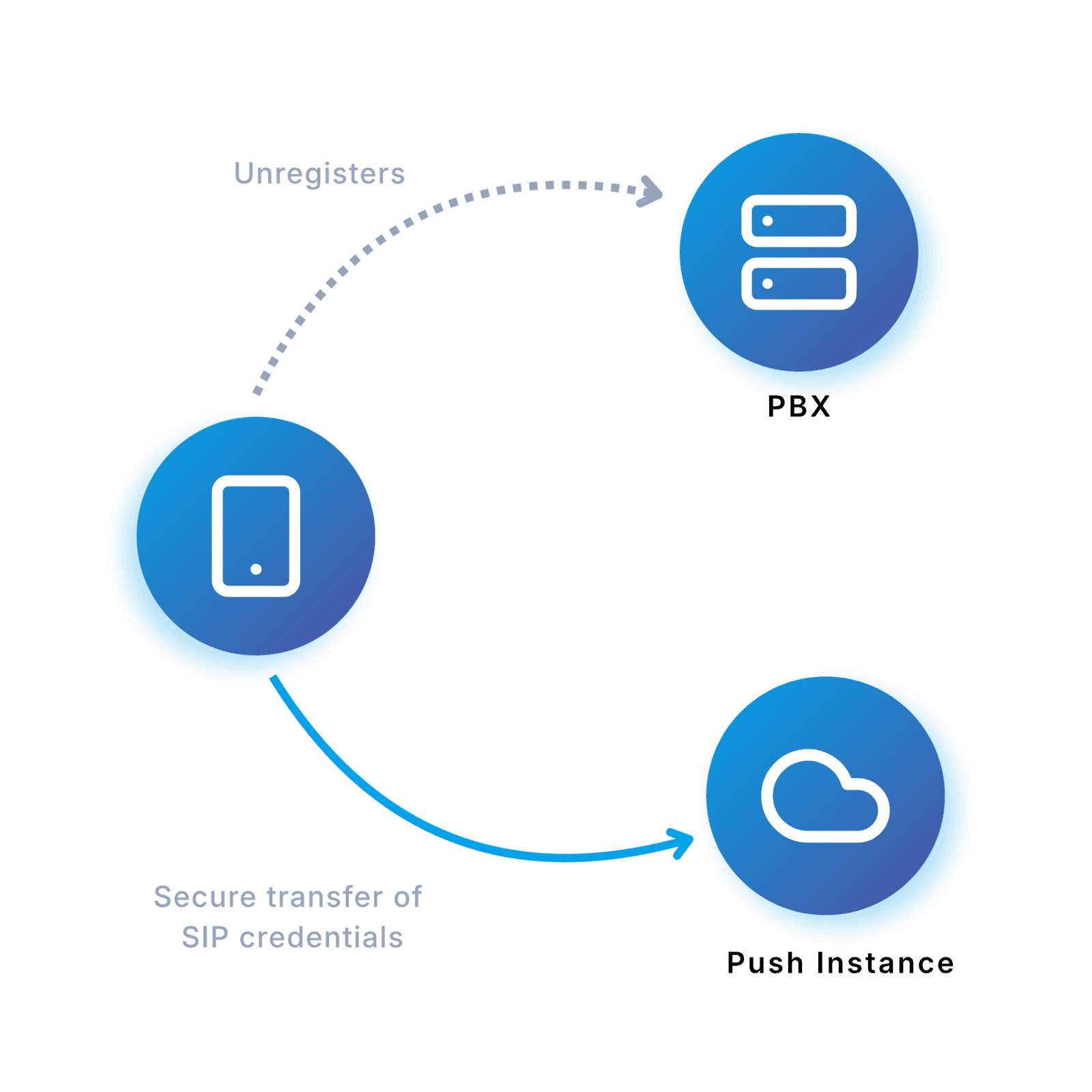
How Incoming Calls Reach a Sleeping Phone
1
Registration
1. Softphone backgrounded or closed
2. Softphone unregisters with PBX
3. Push instance registers with PBX
4. Push instance maintains registration
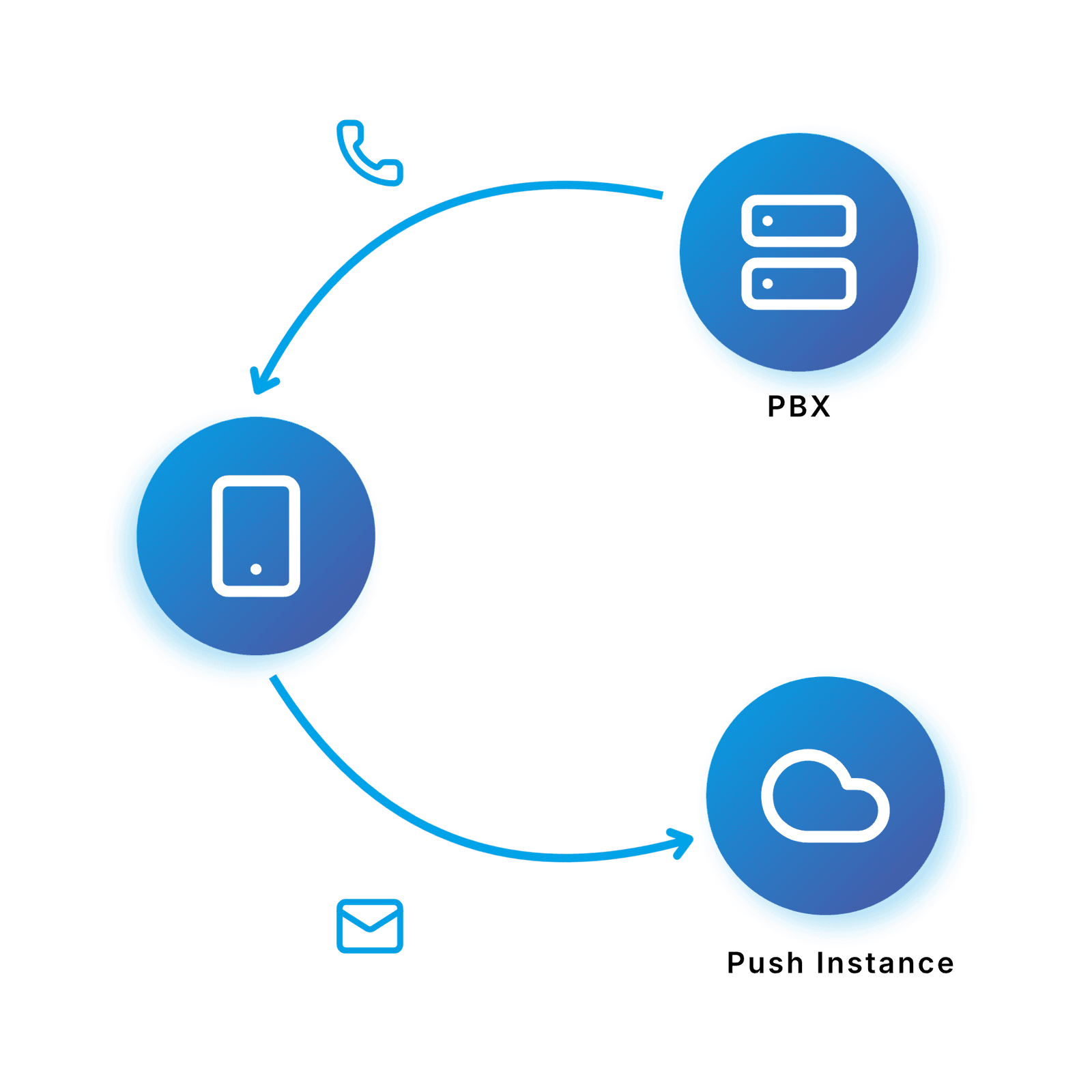
2
Incoming Call
1. PBX receives incoming call
2. PBX sends INVITE to Push instance
3. Push notification sent to mobile device
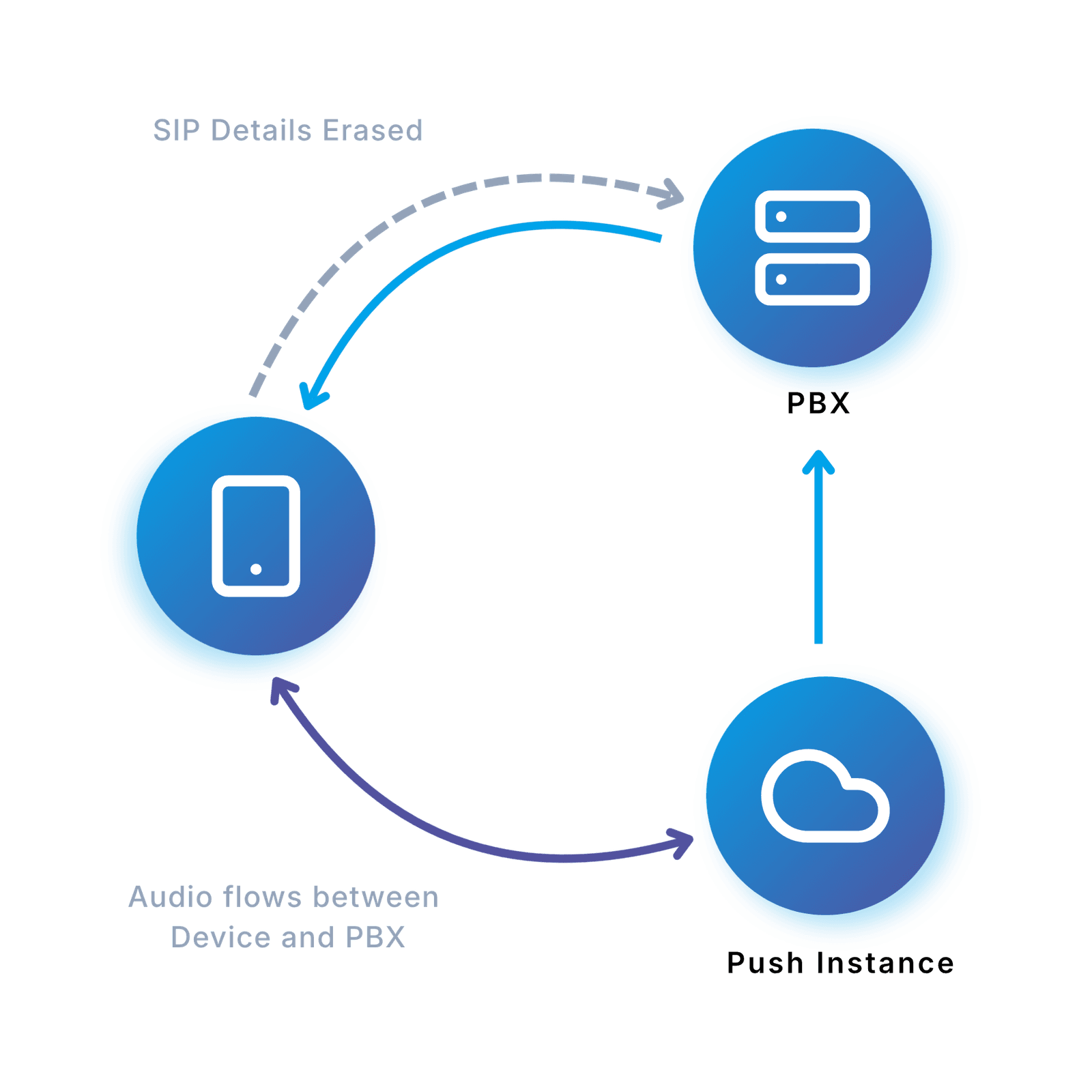
3
Connecting Call
1. Device wakes up
2. Device connects to Push instance
3. Push instance connects call
4. Audio flows between device and PBX
VoIP push server — common questions
- What is a VoIP push notification server, and why does my SIP softphone need one?
A VoIP push server wakes a mobile SIP softphone the moment an INVITE arrives, even if the app is fully terminated. Without one, the softphone has to either hold a TCP socket open — which destroys battery life — or rely on standard data push, which can't reliably ring a sleeping iPhone or Android device. The SessionTalk push server bridges your PBX to Apple APNs and Google FCM so SIP calls land like a regular phone ring.
- How fast does the push server wake the app after an incoming call?
The push server forwards a high-priority VoIP push the moment your PBX sends the INVITE, so the iPhone or Android device typically rings within a second or so of the call hitting the PBX — close enough to feel like a regular phone ring. End-to-end latency depends on the closest regional push endpoint plus the standard APNs / FCM delivery time, both of which are minimised by routing devices to the nearest regional server at provisioning time.
- Does the push notification server support both Apple's APNs and Google's FCM?
Yes. The push server handles APNs for iOS and FCM for Android in one unified SIP-PUSH event flow, so your PBX or carrier doesn't have to implement the platform differences itself. Apple Watch alerts come for free on iOS via CallKit's standard Watch forwarding from the paired iPhone — there's no separate Watch delivery path to configure.
- Where are the SessionTalk push servers located, and does region affect call ring latency?
Push servers run in independent regional deployments in the Americas, Europe and Asia-Pacific. The mobile app picks the closest regional endpoint at provisioning time so the PBX-to-device round trip stays short for users in that region. Cross-region traffic adds a small amount of latency but stays well within normal call-setup expectations.
- Do I need my own Apple developer account or Firebase project to use the push server?
Only if you ship a white-label app — Apple and Google require push tokens to match your app's own bundle / package ID. For the standard SessionTalk app, our APNs and Firebase credentials are used and there's nothing for you to manage.
- Can I run the SessionTalk push server on-premises or inside my own cloud?
Yes. Enterprise tenants can self-host the push server inside their own data centre or private cloud using the shipped Dockerfile and docker-compose setup, on top of any Linux host that runs Docker. Cloud-managed deployment in our regional infrastructure remains the default for most customers.
- Does the push server work with FreePBX, Asterisk, FreeSWITCH, 3CX, and other SIP PBXs?
Yes. The SessionTalk push server speaks plain SIP, so any PBX or softswitch that can register a SIP contact and route a standard INVITE will work — FreePBX, Asterisk, FreeSWITCH, 3CX, and most carrier-grade softswitches included. SessionCloud docs cover the exact push-module or dial-plan setup for each of the common PBXs so you can keep your existing PBX and just plug the push server in.
- Is the push notification payload secure when it carries SIP call details?
Push payloads travel over TLS to Apple APNs and Google FCM, and contain only the minimum SIP fields needed to wake the app — caller ID, call ID, and a one-time wake token. There's no SDP, no media keys, and no sensitive credentials on the push channel; the call itself sets up over SIP TLS with SRTP after the app is awake.
Make Every Call Ring
How VoIP push wakes a sleeping softphone, PBX-specific setup walkthroughs, and the reliability fixes that stop mobile devices from missing incoming calls.

Mobile Softphone Push Notifications: Stop Missing SIP Calls on iPhone and Android
How VoIP push wakes a terminated softphone the moment an INVITE arrives, plus the tests to run before you commit to a mobile deployment.
FusionPBX Push Notifications for Mobile Softphones
How to wire push notifications into FusionPBX so iOS and Android softphones ring reliably — the module, the dial-plan glue, and the tests to confirm it works.

Why Asterisk and FreeSWITCH Can't Deliver Calls to Sleeping Phones — And the Three Ways to Fix It
The reason Asterisk and FreeSWITCH miss calls on backgrounded mobile softphones, and three concrete approaches to bridge the gap with push.
Never Miss Another Call
Keep your softphone ready without draining your battery. Try push notifications free for 14 days.