Voice & Video Calling
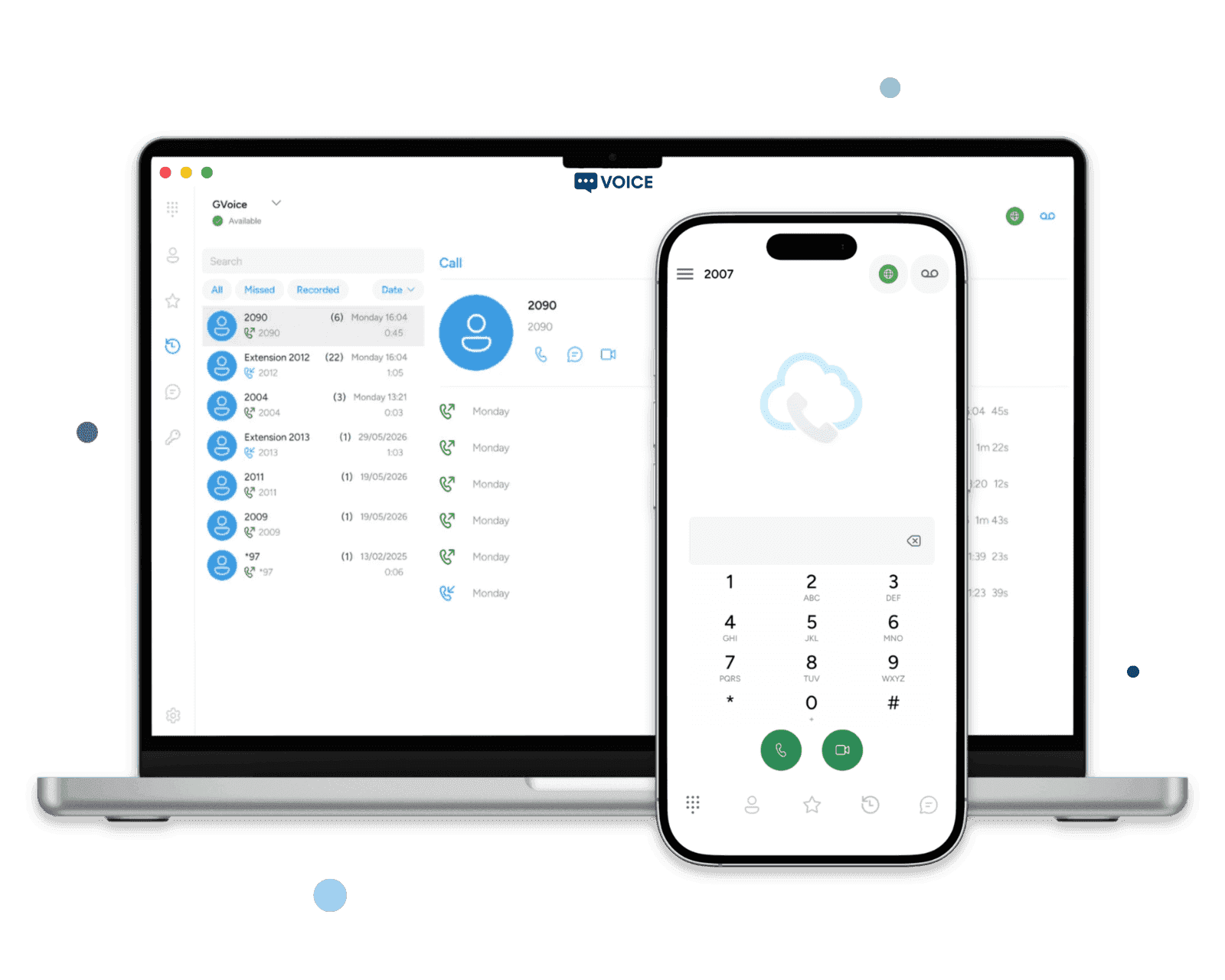
Call colleagues and customers from Windows, macOS, iOS and Android. Hold calls, transfer directly or speak to a colleague before transferring. Ring your registered devices and answer where it suits you.
Voice and video calling, team messaging and voicemail, with native apps for desktop and mobile. Add call flows, queues, recording and supervision with Teams Business. Fully hosted and managed for you. From $20/month.
A complete phone system for your team's calls, messages and daily follow-up, with native apps and one place to manage it all.
Call colleagues and customers from Windows, macOS, iOS and Android. Hold calls, transfer directly or speak to a colleague before transferring. Ring your registered devices and answer where it suits you.
Listen to and download voicemail in the portal. Receive new messages by email with the recording attached, and enable missed-call notifications so you know who needs a call back.
Forward calls when you're busy, don't answer or need all calls sent elsewhere. Choose an internal destination or external number, and set each member's outbound caller ID from your connected numbers.
Keep direct messages, group conversations and file sharing alongside your calls. See who's available, follow delivery and read receipts, and keep message history in sync across devices.
Find colleagues in the team directory and keep business contacts in a shared address book. Review incoming, outgoing and missed calls in the app or portal to follow up on conversations.
Invite people by email and configure mobile apps with a QR code or desktop apps with a setup link. Manage extensions, seats and member permissions centrally, with push notifications for incoming calls.
Guide callers to the right team, handle busy periods and see how calls are being managed. Teams Business adds advanced routing, recording and supervision to everything in Teams Phone.
Connect menus, schedules, announcements, ringing destinations and voicemail in a visual editor. Save changes as a draft, validate the flow and publish when it's ready.
Greet callers with a menu such as ‘press 1 for sales, 2 for support’. Send each choice to the right person, group or queue, with routes for invalid input or no response.
Set opening hours for each day and choose your time zone. Route calls differently when you're closed, with an announcement, voicemail or another destination in your call flow.
Ring a team together or try members in sequence. Set how long to ring and where unanswered calls go, so sales and support calls can reach the next available colleague.
Choose how calls are distributed, manage queue members and pause their availability. Set ring times, maximum waiting time and an overflow destination for callers who need another route.
Give each inbound number its own route to a person, group, queue or call flow. Upload or record greetings and announcements for a consistent welcome and clear instructions.
Choose recording permissions for each member: off, on demand or automatic. Find recorded calls in the call log, then play back or download the audio from the portal.
Give authorised supervisors listen, whisper and barge controls in the desktop app. Listen to a live call, coach a colleague privately or join the conversation when help is needed.
See active calls, queue activity and team availability in the supervisor view. Review call volumes, answered and missed calls, and talk time, with filters by member, direction and outcome.
Advanced call handling, recording and supervision are included with Teams Business. Compare plans
Give your team a business phone system that fits the way you work. Manage users and settings from one portal while we take care of hosting and maintenance.
Add your company's logo and in-app name to the softphones your team uses every day. Send setup emails with your branding and get people connected with a QR code or desktop setup link.
App logo branding is included with Teams Business, or available as a $20/month add-on for Teams Phone.

Your softphone is ready to set up
Hello,
Your administrator at Luma Connect has prepared your setup for Luma Connect softphone.
Scan your setup QR code
Open the app on your phone or tablet and choose the QR code scanner. Allow camera access, then scan the code below to set up your account.

Reading this on the same phone? Open this email on another screen so you can scan the code.
Need help getting connected? Contact support@luma.example.
Regards,
Luma Connect Administrator
TLS protects signaling and messaging, while stored trunk credentials are encrypted. Access controls and abuse protection are built in from the start.
SIP signaling, messaging, and the admin portal all use TLS by default. Your registration credentials stay encrypted in transit.
Your SIP trunk usernames and passwords are stored encrypted at rest with AES-256-GCM. No plaintext trunk secrets in logs, dashboards, or backups — ever.
IP access controls and automated blocking help protect your phone system against repeated login attempts, suspicious traffic, and toll fraud.
Internal team calls are included. For calls to the outside world, connect the SIP trunk you already use — any SIP-compliant carrier works out of the box.
Register with your carrier by IP or by credentials — whichever your provider prefers. Your trunk secrets are stored encrypted at rest with AES-256-GCM.
Team-to-team calls never leave our network — no PSTN cost, no per-minute charges. Only external calls hit your SIP trunk.
You pay your carrier what your carrier charges. No bundled minutes, no per-second markup, no lock-in — switch trunks in the admin portal whenever your rates change.
These are the ones our customers deploy most. Any SIP-compliant provider drops in with IP or credential authentication.
A hosted PBX is a business phone system that runs in the cloud. SessionPBX brings voice and video calling, messaging, voicemail and team administration together, with softphones on desktop and mobile. We handle hosting and maintenance, while you manage your people, numbers and call settings from the portal.
Every team member installs the SessionCloud softphone on Windows, macOS, iOS, and Android — the same account works across all four platforms, and message history syncs automatically. Softphones are provisioned by QR code or one-time link, so users don't type SIP settings and IT doesn't chase config files.
Any SIP-compliant carrier works. Our customers regularly deploy Telnyx, Twilio, Simwood, Gradwell, VoIP.ms, Callcentric, Flowroute, and Bandwidth. Authenticate by IP or by credentials — whichever your provider supports — and your trunk secrets are stored encrypted at rest with AES-256-GCM. You bring the trunk, we handle the routing, and you pay your carrier direct.
Yes. SessionPBX uses SIP over TLS by default. Messaging is TLS-only too, and the admin portal is HTTPS-only. Your registration credentials, SIP session tokens, and message content stay encrypted in transit.
Invite a team member by email from the admin portal. They open the softphone (already installed or freshly downloaded), scan a QR code, and the app connects to your business phone system with their calling and messaging settings ready to use. No SIP settings to type, no config file to email around, no help-desk ticket for your IT team — most new hires are calling within a couple of minutes.
Teams Phone covers everyday calling, messaging, voicemail, team contacts and app provisioning, with SIP trunks for external calls. Teams Business adds ring groups, call queues, visual call flows with IVR and business hours, recording, supervision tools and logo branding. You can start on Teams Phone and upgrade in the portal.
SessionPBX is available in Europe, the Americas, and Asia. Your phone system is hosted in the region closest to your team to reduce call setup and messaging delays. The admin portal, setup process, and softphone experience are consistent across regions.
Teams Phone is $20/month for 5 seats, plus $3/month per additional seat. Teams Business is $40/month for 5 seats, plus $6/month per additional seat. Prices are in USD, with a 14-day free trial and no setup fee or long-term contract. External calls use your own SIP carrier, which bills you directly for numbers and calls.
Yes. You can enable voicemail emails with the audio attached and missed-call notifications for each member. Voicemail is also available in the portal, where members can listen to, download and manage their messages.
Teams Business includes call recording. An administrator chooses each member's recording mode: disabled, on demand or automatic. Recorded calls can be played back and downloaded from the call log. Recording is controlled by these settings rather than enabled for every member by default.
Feature deep-dives, reliability planning, and buyer checklists to help you evaluate a hosted PBX before you commit.

The PBX capabilities that actually matter for a distributed small team: routing, SIP softphones, failover, and secure provisioning.
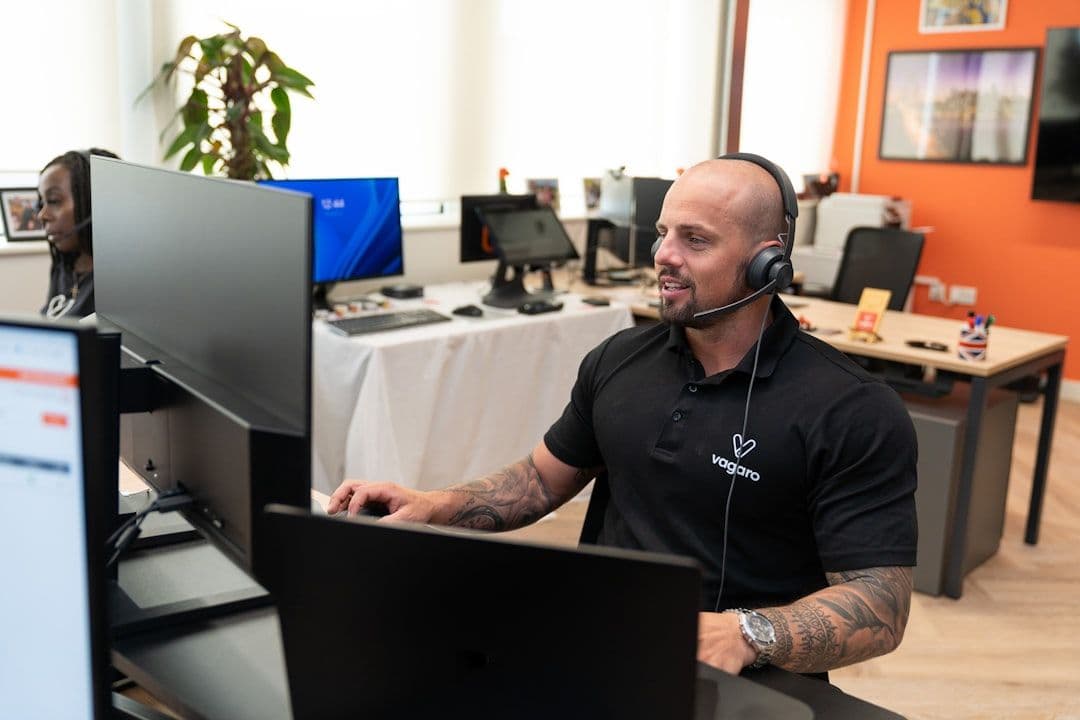
Evaluation criteria for queue and IVR systems — customer experience, routing depth, remote-agent handling, and what admins really need day two.

Failover strategies for outages, office closures, mobile agents, and overflow routing so calls keep landing when the primary path fails.
Start with Teams Phone for everyday communication, or choose Teams Business for advanced call handling, recording and supervision. Both include a 14-day free trial.
$20USD / month
5 seats included · $3 per extra seat
$40USD / month
5 seats included · $6 per extra seat
Connect your own SIP carrier for external calls. Your carrier bills you for numbers and calls; internal team calls are included.