Phishing & Email Security for SMB | IT Checklist
Phishing and Email Security for Small Business: IT Checklist
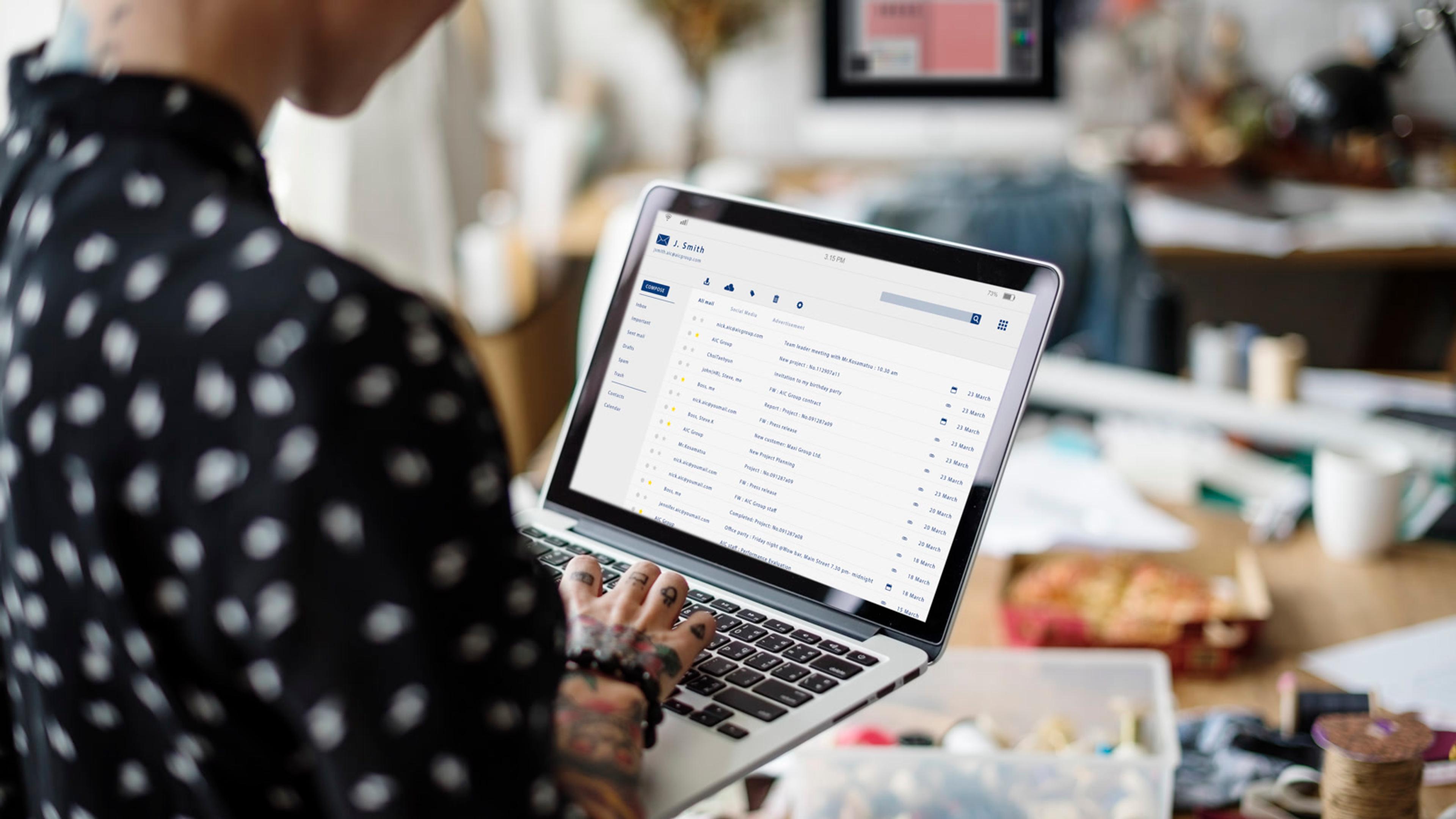
Email security for a small business means making it harder for phishing and lookalike messages to reach inboxes, easier for people to report them, and clearer what IT does next — not a one-off “don’t click” poster. For roughly 20–100 person companies, a useful phishing and email-security programme layers filtering and authentication (SPF, DKIM, DMARC), a simple report-phishing path into the helpdesk, short phishing awareness training with occasional simulations, and a playbook for business email compromise attempts that does not invent breach statistics. This checklist is for IT managers: what to turn on in 30 days, how it sits next to MFA, passwords, AUP, endpoint, and incident response — without scare porn, fake “average cost of a phish” numbers, or a hosted-PBX pitch.
What is email security for a small business (and how does phishing fit)?
Email security is the mix of filtering, domain authentication, anti-impersonation settings, a clear report-phishing path, and short awareness training so phishing emails and lookalike messages are less likely to succeed — and when they do slip through, IT hears about them quickly. Phishing (and related email phishing) is the inbound threat class this playbook targets: messages that trick someone into clicking, entering credentials, opening an attachment, or wiring money. Business email compromise (BEC) is one tactic in that class — typically a spoofed or hijacked executive/finance thread asking for an urgent payment or bank-detail change. Define it once; this post stays on the SMB containment playbook, not a BEC encyclopedia.
Email security is not the same as incident response. Incident response is who acts when something may already have worked. This post is prevention, detection, and early reporting in the inbox — before you open the full IR playbook.
It is also not endpoint security. Endpoint agents protect the device if a payload lands another way. Email security sits on the mail path: filters, authentication, and people who know how to report. Link those posts; do not merge the playbooks.
Phishing awareness and phishing awareness training are the people layer: teach staff to spot and report suspicious mail. Security awareness training is the broader curriculum; cover the email slice here, not a vendor roundup of full SAT platforms. Anti phishing is the outcome of controls plus habits — not a product category bake-off.
Why isn’t “we have Microsoft 365 / Google spam filters” enough on its own?
Default spam filters help, but they are not a complete business email security programme. Common gaps:
- SPF, DKIM, or DMARC never finished — spoofing your domain stays easier than it should
- Impersonation / lookalike protections left at defaults while finance and executives are obvious targets
- No agreed report phishing email path — people forward to a colleague, delete evidence, or stay quiet
- Quarantine nobody monitors — false positives pile up and staff learn to ignore filters
- Mailbox forwarding rules anyone can set — quiet exfiltration after a successful phish
- Training that was a poster once, with no light phishing simulation or huddle to keep reporting habits alive
- Credential stack unaligned — a clicked link becomes account takeover because password manager and MFA were never paired with inbox hygiene
You do not need invented “90% of attacks start with email” statistics. One clear report path, authentication turned on, and a first-hour response outline already change outcomes for a small IT team.

What email authentication and filtering should an SMB turn on first (SPF, DKIM, DMARC, and gateway basics)?
Start with what your suite already offers — Microsoft 365, Google Workspace, or hosted email — before shopping further.
Email authentication in plain language:
- SPF — which servers are allowed to send mail as your domain
- DKIM — cryptographic signing so receivers can check the message was not tampered with in transit
- DMARC — a policy that tells receivers what to do when SPF/DKIM fail (start in monitor mode if you are unsure; goal is making domain spoofing harder, not a full DNS lab)
Verify or enable SPF and DKIM first. Add a starter DMARC email policy in monitor mode, then tighten when you trust the reports. Keep this at playbook level — not a DMARC engineering guide.
Email filtering next: review spam and phishing filter aggressiveness and who can see/release quarantine. Turn on anti-phishing and impersonation protections your suite already includes — lookalike domains, executive name spoofing — as product features, not a vendor bake-off. Spot-check that finance and executive addresses are covered.
A dedicated email security gateway / secure email gateway can wait. Decide later on criteria only: coverage gaps, admin time on false positives, or named compliance pressure. No “best SEG 2026” awards or invented rankings. Megavolume product classes stay as checklist options, not the hero of the post.
Spear phishing (targeted, researched messages) is a tactic pattern, not a glossary entry — impersonation settings, BEC hygiene for finance, and the report path are the practical counters.
How do you run phishing awareness training and light simulations without shaming people?
Employee phishing training and short phishing awareness sessions work when reporting is easy and coaching is the goal. Publish a one-page “how to report a phish” — button, forward-to address, or helpdesk form — in onboarding plus your acceptable use policy. Tell people what good looks like: hover links, check the sender domain, be wary of unexpected payment / gift-card / password-reset requests, and never shame someone who reported a real or fake phish.
Phishing simulation / phishing test / light phishing campaign tools (including suite-built options) are optional Week-3 work. Run a small pilot after the report path exists. Goal is coaching on what they missed and how fast they reported — not gotcha HR leaderboards. If you have zero capacity, skip the campaign and run a 15-minute awareness huddle instead. Predictable quarterly drills beat surprise shame exercises.
Align the credential stack so a clicked phish is less likely to become full account takeover: password manager plus MFA rollout. Add one short AUP clause on approved mail tools and no forwarding company mail to personal inboxes without approval — policy text stays in the AUP post.
What does a report-phishing path and first-hour response look like?
Report phishing must be boring and fast. Route reports into helpdesk ticketing so there is an owner, SLA, and audit trail — not a Slack DM that disappears.
Report-phishing ticket fields (ops outline — not legal advice)
- Reporter name + time found
- Original sender address + subject (screenshot or .eml if safe)
- Whether anyone clicked / entered credentials / opened attachment
- Whether money, gift cards, or data were requested
- Mailbox forwarding rules checked? (Y/N)
- Password reset + MFA re-check done? (Y/N)
- Escalate to incident response? (Y/N + why)
- Close note / coaching tip for the team (no public shaming)
First-hour response when someone reports a phish:
- Preserve evidence — do not tell people to delete until IT has what it needs.
- Check whether credentials were entered or attachments opened; if yes, reset password and re-check MFA promptly.
- Inspect mailbox forwarding rules and recent admin-role changes; alert on sudden forwarding to external addresses.
- Isolate or lock the mailbox only if compromise is plausible — document why.
- Decide whether to open incident response. Email security stops at contain-and-hand-off; do not duplicate the full IR command structure here.
- Close with a short coaching note for the team if useful — never a public shame list.
BEC hygiene for finance and payment approvers sits beside the report path: verify bank-detail changes out-of-band; no urgency overrides. Lock down who can change mailbox forwarding rules and admin roles. Pair joiner training and leaver mailbox access with your device onboarding/offboarding checklist. Watch for unapproved forward-to-personal or shadow mail tools via shadow IT.
What does a 30-day phishing and email security checklist look like?
Week 1 — Controls you can turn on
- Confirm who owns email security (IT lead + mailbox admin) and which platform you use (Microsoft 365, Google Workspace, or hosted email).
- Enable or verify SPF, DKIM, and a starter DMARC policy (monitor first if unsure — plain-language goal: make spoofing your domain harder).
- Review spam/phishing filter aggressiveness and quarantine visibility; decide who can release false positives.
- Turn on anti-phishing / impersonation protections your suite already includes (lookalike domains, executive name spoofing) — product features, not a vendor bake-off.
Week 2 — People path
- Publish a one-page “how to report a phish” (button, forward-to address, or helpdesk form) and put it in onboarding + AUP.
- Tell people what good looks like: hover, check sender domain, unexpected payment/gift-card/password resets, and never shame someone who reported a real or fake phish.
- Align password manager + MFA so a clicked phish is less likely to become a full account takeover.
- Add email-security expectations to AUP in one short clause (approved tools, no forwarding company mail to personal inboxes without approval).
Week 3 — Light testing & BEC hygiene
- Run a small phishing simulation or phishing test to a pilot group (or use your suite’s tools) — goal is coaching, not gotchas; skip if you have zero capacity and instead do a 15-minute awareness huddle.
- Brief finance and anyone who approves payments on business email compromise (BEC): verify bank-detail changes out-of-band; no urgency overrides.
- Lock down who can change mailbox forwarding rules and admin roles; alert on sudden forwarding to external addresses.
- Spot-check that executive and finance addresses are covered by impersonation protection.
Week 4 — Operate & handoff
- Define first-hour steps when someone reports a phish: isolate mailbox if needed, reset credentials, check forwarding rules, note whether to open incident response — do not duplicate the full IR playbook here.
- Schedule a quarterly 30-minute email-security hygiene ritual: filter false positives, DMARC progress, simulation lessons, open tickets.
- Decide whether a dedicated email security gateway / secure email gateway is needed later — criteria only (coverage gaps, admin time); no “best SEG 2026” awards or fake rankings.
- Keep ransomware preparedness and full IR tabletops as separate future playbooks — this post stops at email-borne phishing and BEC hygiene. Mention data backup and patch management lightly as adjacent layers, not merged playbooks.
How do email security, MFA, passwords, AUP, endpoint, and incident response fit together?
Think of layers, not synonyms:
- Email security — filter, authenticate, and contain malicious / impersonating mail; this post.
- Phishing awareness training — teach people to spot and report; not a full SAT vendor roundup.
- Phishing simulation — safe test of reporting behaviour; not a punitive gotcha.
- Report phishing path — get suspicious mail to IT quickly via helpdesk; not the full IR command structure.
- MFA + password manager — reduce damage if credentials are phished; they do not stop the phish from arriving.
- Acceptable use policy — rules for mail, forwarding, and personal accounts; not the technical controls checklist.
- Endpoint security — AV/EDR on the device after a payload lands; not the inbox filter stack.
- Incident response — who acts when something bad may have succeeded; day-to-day phishing prevention and reporting stay here.
- Data backup — recovery layer if something worse follows; not a ransomware deep dive in this post.
- Patch management — fewer exploitable clients; optional adjacent hygiene.
- Helpdesk — report-phish tickets with an owner and SLA.
- Device onboarding/offboarding — joiner training and leaver mailbox access paired with this programme.
Email security vs related IT work
| Artifact | Job | Not the same as |
|---|---|---|
| Email security | Filter, authenticate, and contain malicious / impersonating mail | Endpoint AV/EDR on the device after a payload lands |
| Phishing awareness training | Teach people to spot and report suspicious mail | A full security awareness training curriculum vendor roundup |
| Phishing simulation | Safe test of reporting behaviour | Punitive “gotcha” HR exercise |
| Report phishing path | Get suspicious mail to IT quickly | Full incident response command structure |
| MFA + password manager | Reduce damage if credentials are phished | Stopping the phish from arriving |
| Acceptable use policy | Rules for mail/forwarding/personal accounts | The technical email controls checklist |
| Incident response | Who acts when something bad may have succeeded | Day-to-day phishing prevention and reporting |
Optional softphone note: secure business calling stays on sessiontalk.io if a soft bridge fits — this IT-manager post does not pitch PBX products.
FAQ
What is email security for a small business?
The mix of filtering, domain authentication (SPF/DKIM/DMARC), anti-impersonation settings, a clear report-phishing path, and short awareness training so phishing and BEC attempts are less likely to succeed.
Is phishing awareness training enough without technical controls?
No. Training helps people report faster; filters and authentication reduce how much junk and spoofed mail arrives. You want both, sized to a 20–100 person team.
How often should we run a phishing simulation?
Start with a small pilot after reporting is easy; then light, predictable drills (e.g. quarterly) focused on coaching. Skip shame leaderboards.
What should employees do if they think they clicked a phishing email?
Report immediately via your report-phish path, do not delete evidence until IT says so, and assume a password reset + MFA check may be needed — then follow your incident-response steps if IT escalates.
How is this different from incident response or endpoint security?
Email security is mostly prevention and early reporting in the inbox. Incident response is the escalation playbook after something may have worked. Endpoint security protects the device if malware arrives another way — link those posts; do not merge them.