PSTN Switch-Off for Small Business | Readiness Checklist

PSTN Switch-Off for Small Business: A Readiness Checklist Before Your Lines Go
Tom Reed · Updated 8 October 2026
The UK PSTN switch-off means the old copper analogue and ISDN phone lines are being retired, and every service still running on them has to move to an internet-based (IP) alternative before your provider migrates or ceases the line. For a small business that's more than the phones: alarms, lift lines, card machines, door entry and old fax lines often sit on copper too. The fix is a short audit. List every line and what's plugged into it, decide replace, move or cancel for each, then move your numbers to a SIP trunk and run calls on a hosted PBX such as SessionPBX before the deadline does it for you. This checklist walks IT managers through it, with no scare statistics.
What is the PSTN switch-off and what does it mean for a small business?
What are PSTN and ISDN? The PSTN (Public Switched Telephone Network) is the traditional analogue landline network: a copper pair from the exchange to your master socket. ISDN (Integrated Services Digital Network) is the older digital service over the same copper — ISDN2 and ISDN30 were the standard way to connect an on-site phone system with several channels and a block of direct-dial numbers. Both are being retired.
The PSTN switch-off — also called the digital switchover, the landline switch off, the analogue switch off or the copper switch off — is the retirement of that network. Afterwards, calls run over IP: a broadband or fibre connection, a SIP trunk, or a mobile network.
For a small business, anything still on a traditional line needs a new home, and you want to choose it rather than have it chosen for you. BT's home-phone replacement is called Digital Voice; business lines need their own plan, agreed with whoever supplies each line today.
This post is the audit: find every line, work out what's on it, and sequence the changes. Porting and phone-system how-tos are linked rather than repeated.
When is the PSTN switch-off, and what happens if you do nothing?
As of October 2026, the operators' own pages say:
- Switch-off date. Openreach's switch-off page says: "On 31 January 2027, all traditional phone lines will be going digital." In a July 2026 announcement, Openreach's Director of All-IP said "there is no extension to the deadline".
- ISDN as well as analogue. BT Business's switch-off page says that "by 31 January 2027" the PSTN, ISDN, ADSL and "other related analogue services" will be switched off.
- Stop-sell. Openreach announced that its phased stop-sell of PSTN-based copper products would apply across the UK "from September 5th 2023". Since then, new contracts, switches, upgrades and re-grades go onto a digital line, so changing your contract may trigger the move.
So the PSTN switch-off date in the UK is 31 January 2027 on the operators' current published plan. Your own line may move earlier, so check with your line provider for your exact migration date, line by line.
What happens if you do nothing? The providers describe a fallback, not a plan:
- BT Business says lines still on the old network may be moved automatically "to a basic IP-technology solution" through its Protective Migrations programme, with notice by email or post. It also says some services — "including ISDN, Featureline, multiline and certain broadband accesses" — can't be moved that way and "will stop working from 31 January 2027" if they haven't been moved.
- Openreach says customers who haven't switched may be moved to the Emergency Voice and Access Continuity (EVAc) service, which it describes as "a temporary emergency voice-only service".
A default migration keeps a dial tone at best. It won't move your numbers into a new phone system, re-point your alarm or swap your card terminal. Treat every provider letter about migration as a change ticket for IT.
Which of your lines are affected?
Assume every traditional line is affected until proved otherwise. The hard part is finding lines nobody remembers ordering, so reconcile four sources.
1. Bills. Pull the latest bill for every site and provider. List each line number, its description (line rental, ISDN2, ISDN30, broadband with line), the account and the contract end date. Check facilities budgets too — lift and alarm lines are often paid outside IT.
2. Providers. Ask each provider, in writing, for every line on your account, which network it uses and its planned migration date.
3. A site walk. Check the master socket or network termination point (NTE), ISDN boxes near the phone system, the comms cabinet, the lift motor room, alarm panels, tills and the post room. Follow cables from wall sockets to devices and photograph labels.
4. The asset register. Record every line with an owner, location, what's connected and a decision. If you run an IT asset register, add a "lines and circuits" section rather than another spreadsheet.
A line on the bill you can't match to a device is "unknown" — don't cancel it until you've proved nothing is on it.
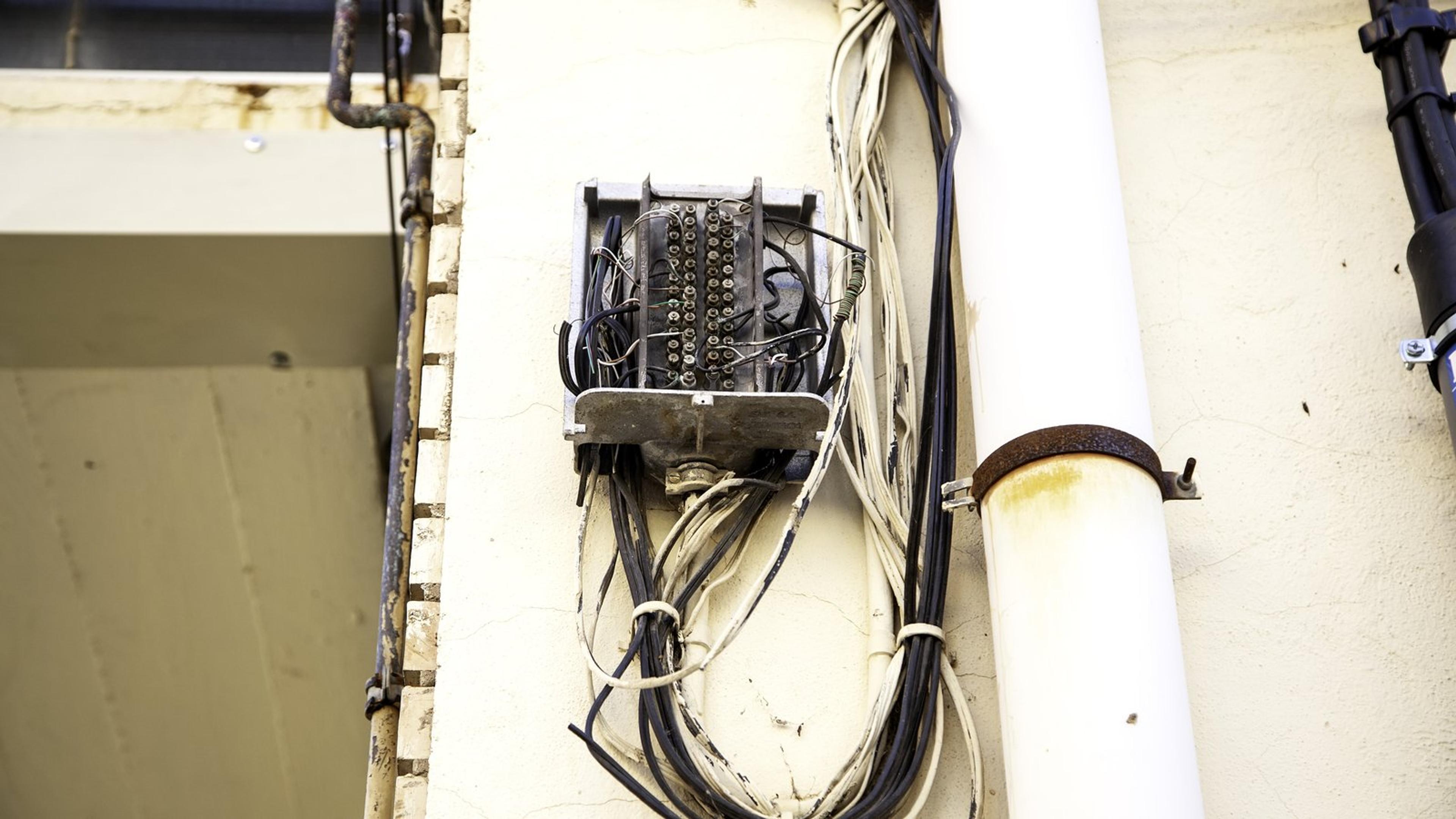
What else runs on your copper lines besides phones?
Much of what sits on copper isn't a phone. Openreach lists alarms, CCTV, payment terminals, telecare, door entry and lift phones among devices that may be affected. These are common examples, not an exhaustive list; your site walk is the source of truth.
| Line / device | How to spot it | Typical question to ask | Who owns the fix |
|---|---|---|---|
| Main business number (analogue or ISDN) | On phone bill; ISDN box near PBX | Where will the number live after the switch-off? | IT + SIP trunk carrier + hosted PBX |
| Old on-site PBX on ISDN | PBX in comms cabinet with ISDN lines | Replace with hosted PBX or keep with SIP? | IT (migration guide) |
| Intruder / fire alarm signalling | Alarm panel with phone cable to socket | Is the panel/communicator IP or 4G compatible? | Alarm installer / monitoring company |
| Lift emergency phone | Line in lift motor room | Is there a digital/4G replacement unit? | Lift maintenance contractor |
| Card payment terminal on phone line | Terminal plugged into phone socket | Can it move to broadband, Wi-Fi or 4G? | Payment provider |
| Fax / franking machine | Device plugged into its own line | Still needed? Cancel or replace? | Office manager / supplier |
| Door entry / gate intercom | Panel dialling out on a line | IP/4G option? | Installer |
| Broadband on copper (ADSL/FTTC) | Broadband sharing the phone line | What is the replacement broadband product? | Broadband provider |
| Unused or forgotten lines | Line on bill with no known device | Cancel? | Finance + IT |
Safety-relevant lines need the device provider's answer, not yours. For monitored alarms, lift emergency phones, telecare and anything else people rely on in an emergency, ask the device's own provider or installer whether it will work after the switch-off and what replaces it. Get the answer in writing, with a date for any visit. Don't assume a device will work on a digital line because it passes a quick test. BT's advice is the same: check with the manufacturer or service provider, and replace equipment that isn't compatible.
Broadband counts too. BT includes ADSL in its switch-off list. Ask your broadband provider what replaces broadband that shares a phone line at each site.
Should you replace, move or cancel each line?
Every line gets one decision and one named owner:
| Line type | Decision | Next step |
|---|---|---|
| Phones and handsets | Replace | Move calls to a hosted PBX; use softphone apps or IP desk phones |
| Business numbers and direct dials | Move | Port to a SIP trunk carrier, then route them in the hosted PBX |
| On-site PBX on ISDN | Replace | Follow the on-premise PBX migration |
| Alarms, lift phones, telecare | Device provider decides | Written confirmation and a replacement date from the installer |
| Card payment terminals | Replace via payment provider | IP, Wi-Fi or 4G terminal from the payment provider |
| Fax and franking | Cancel or replace | Confirm whether it's still used; ask the supplier for a digital option or an e-fax service |
| Door entry and gate intercoms | Installer decides | IP or 4G unit from the installer |
| Broadband on copper | Replace | Replacement broadband product from your broadband provider |
| Spare or unknown lines | Cancel | Trace first, then cancel once nothing is on it |
IT owns phones and numbers; facilities or the device supplier owns alarms and lift lines; finance owns cancellations. Budget from your own quotes for the SIP trunk, hosted PBX and replacement devices — the UK phone system cost guide and hosted PBX buying guide show what to compare.
Don't copy the old setup like-for-like. Lines that only existed because ISDN needed a channel per call usually disappear: on a SIP trunk, numbers and call capacity aren't tied to physical lines.

How do you move your phone numbers and calls without downtime?
Think in three layers: the line goes away, the numbers move to a SIP trunk carrier, and a hosted PBX handles the calls, apps and routing.
Numbers. Choose a SIP trunk carrier and port your numbers to it; the carrier supplies numbers and external calls and bills you for them. The SIP trunk guide covers choosing one. The UK porting guide and transfer a landline number to VoIP cover the paperwork and timing. Don't cancel a line before its number has ported — confirm the order of events with the gaining carrier.
Calls. SessionPBX is a hosted PBX with native apps for Windows, macOS, iOS and Android. You connect a SIP trunk from any SIP-compliant carrier; SessionPBX handles calling, extensions, voicemail and routing. Calls between colleagues are included, voicemail can arrive by email with the recording attached, and missed-call notifications show who needs a call back. Teams Business adds call flows with IVR, business-hours routing, ring groups, queues and call recording.
To be clear: SessionPBX doesn't supply lines, broadband or numbers, and doesn't do the port — your carrier does. Alarm, fax and card-machine lines stay with their own providers.
Sequence. Build users and routing, pilot on a temporary number with a small group, port the main numbers on an agreed date, test every number on port day, and only then cancel the old lines. Replacing an on-site phone system at the same time? Follow the PBX migration guide.
Next step: move your calls to SessionPBX and connect your chosen SIP trunk before your line is switched off.
Is your network ready for calls over the internet?
Once the copper goes, your phones depend on your broadband and your power.
Bandwidth and quality. Voice needs a stable connection more than a fast one. The VoIP network requirements guide has the checks. Plan for the connection failing — a second link, mobile apps or forwarding — with the hosted PBX failover guide.
Power cuts. Openreach's page says plainly: "Digital phone lines need power to work." Where a phone must keep working in a power cut, plan battery backup for the router and fibre equipment, and keep a charged mobile as fallback.
Emergency calls. Ask your new provider how 999 and 112 calls work, how your location is passed on, and what happens if the connection or power is down.
PSTN switch-off readiness checklist
Use this as the working list for your PSTN migration. Put an owner and a date on every step.
- Pull the last bill for every site and list every line/number and its provider.
- Walk each site: master sockets, ISDN boxes, alarm panels, lift rooms, tills, fax.
- Label each line: phones, data, alarm/safety, payments, other, unknown.
- Ask each device provider in writing whether their device works after the switch-off and what replaces it.
- Check your provider's migration date for each line and put it in the change calendar.
- Choose where numbers will live (SIP trunk carrier) and where calls will run (hosted PBX such as SessionPBX).
- Check broadband capacity and a power-cut plan (battery backup) for anything that must keep working.
- Pilot the new phone system on temporary numbers before porting.
- Port numbers and test inbound, outbound and emergency-call handling with the provider.
- Cancel lines you no longer need — after confirming nothing is still on them.
Re-run steps 1–3 a month before your earliest migration date.
When the numbers and calls are ready to move, set up SessionPBX with your SIP trunk and try the SessionTalk softphones on desktop and mobile.
FAQ
Will my business phone number change after the PSTN switch-off?
Not if you port it. Move each number to a SIP trunk carrier before the old line is ceased, then route it in your hosted PBX. The porting checklist covers the details.
Does the switch-off affect ISDN as well as analogue lines?
Yes. As of October 2026, BT Business lists ISDN alongside the PSTN and ADSL in the networks being switched off by 31 January 2027, and says ISDN can't be moved automatically. Check with your line provider for your exact migration date.
Will my alarm or card machine still work after the switch-off?
Don't assume. Ask the alarm installer or monitoring company, and your payment provider, whether the device works on a digital connection. Get the answer in writing.
Do I need new handsets?
Not always. Many teams move to softphone apps on desktop and mobile; others use IP desk phones. See SessionTalk softphones.
What happens to my phones in a power cut?
Digital lines need power. Plan battery backup for the router and fibre equipment where a phone must keep working, keep mobiles as fallback, and ask your provider how emergency calls work during an outage.